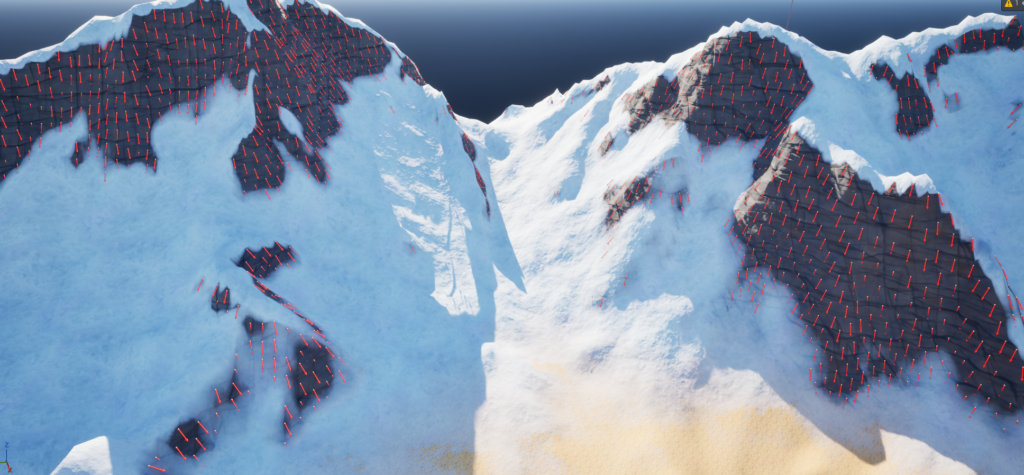
Global PCG Controller
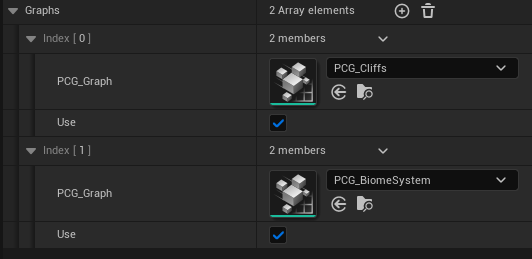
For this PCG setup I built a simple global system that lets me plug in different PCG graphs and enable or disable them as needed. The core of it is a custom Data Asset with two fields: Graph and Use. Graph holds a PCG graph reference, and Use is just a boolean that decides whether that graph should run.
The idea is to make the system modular and easy to extend. You can add as many graph entries as you want, whether they are for cliffs, grass, paths, or any other world-building feature, and control them from a single place without having to rewire the whole setup.
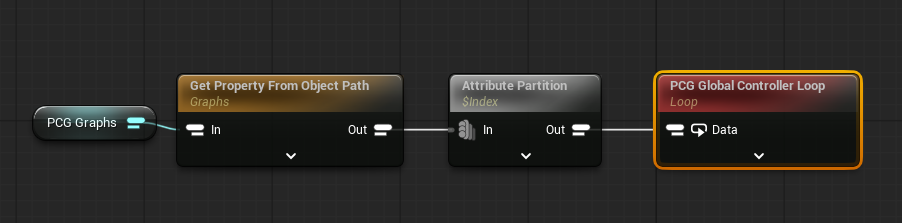
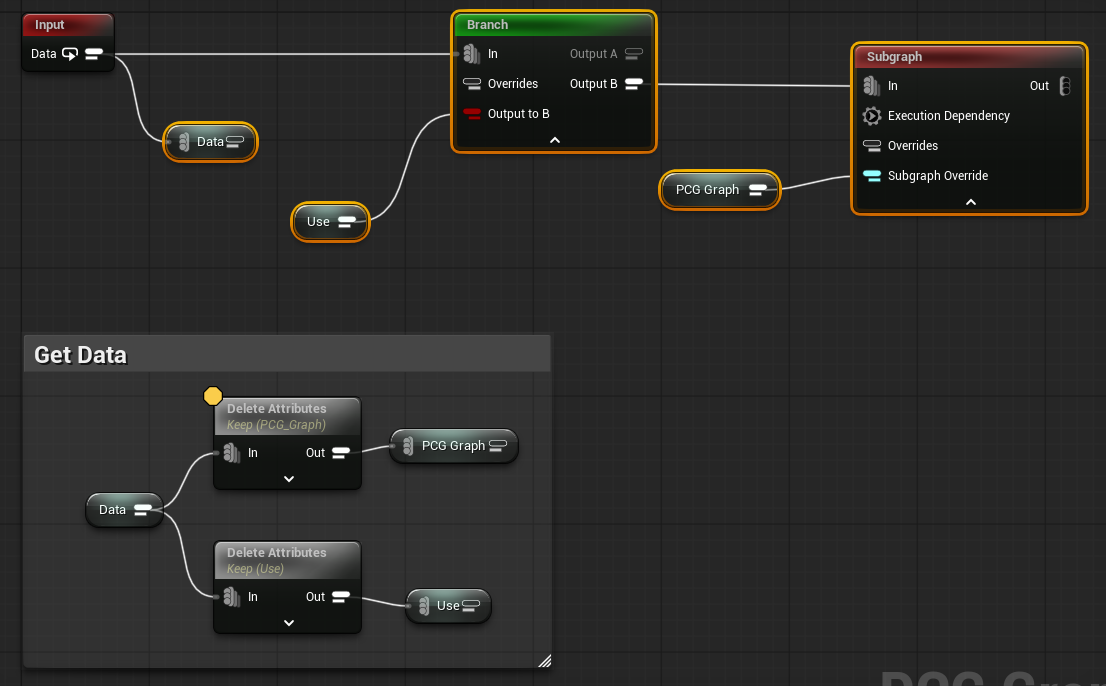
Internally the logic is very straightforward. One graph reads the Data Asset and pushes its entries into a loop. The second graph is the loop itself: for each entry, if Use is enabled it runs the corresponding PCG subgraph, and if it is disabled it simply skips it. It is a small piece of logic, but it gives a lot of flexibility and keeps the system easy to manage.
Use of Physical Materials
One of the most interesting parts of this PCG system is how it uses Physical Materials to decide what can spawn on each surface.
The landscape material assigns Physical Materials to the different terrain layers and automatic surfaces. For example, snow-covered areas use PM_Snow, while the base forest ground can use something like PM_Forest_Layer01. This means the visual terrain logic is also exposed as clear surface classification data that PCG can read.
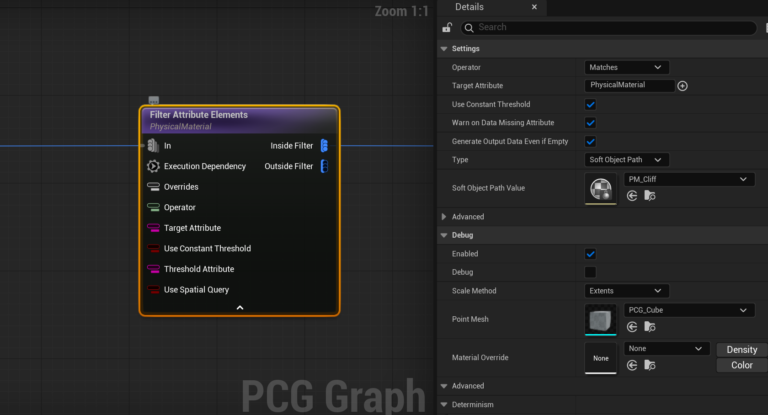
From there, the individual PCG graphs use Physical Material filtering to discard any points that do not belong to the target surface. In practice, this makes it easy to build rules such as spawning one set of assets only on snow, another on cliffs, and others on specific biome layers.
What I like about this approach is that it keeps the spawning logic tightly aligned with the material logic. PCG does not have to guess what kind of ground it is looking at from indirect signals like color, slope, or painted weights alone. The landscape already provides that answer in a way that is simple, robust, and easy to reuse across different graphs.
Cliff System
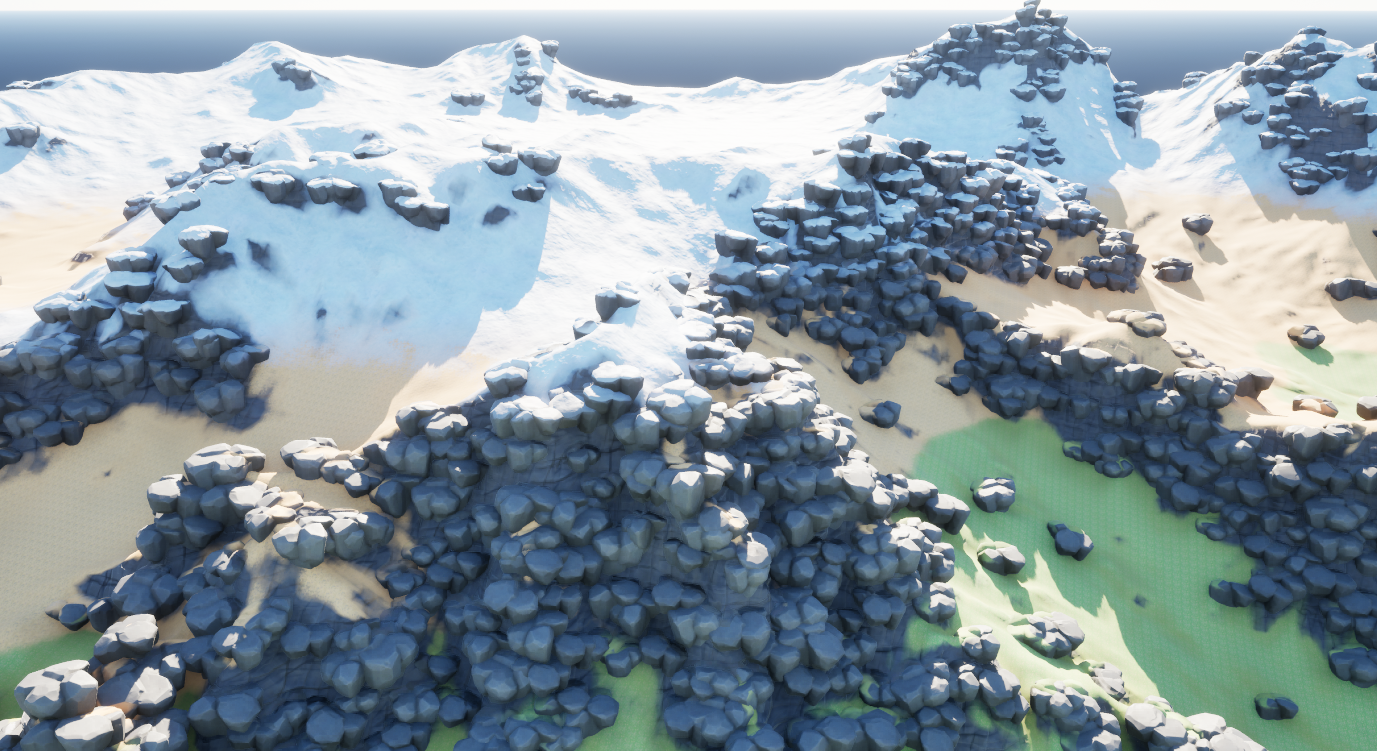
When I started designing the cliff system, the two things I cared about most were having meshes follow the slope direction correctly and being able to use multiple static meshes with different weights and placement properties.
I did not feel cliffs really needed an assembly-based approach, so I kept this system more direct and lightweight. The setup is driven by a Data Asset where I can control the overall spawn density, and then define an array of meshes with their own per-mesh settings, such as scale range, rotation range, and other placement values.
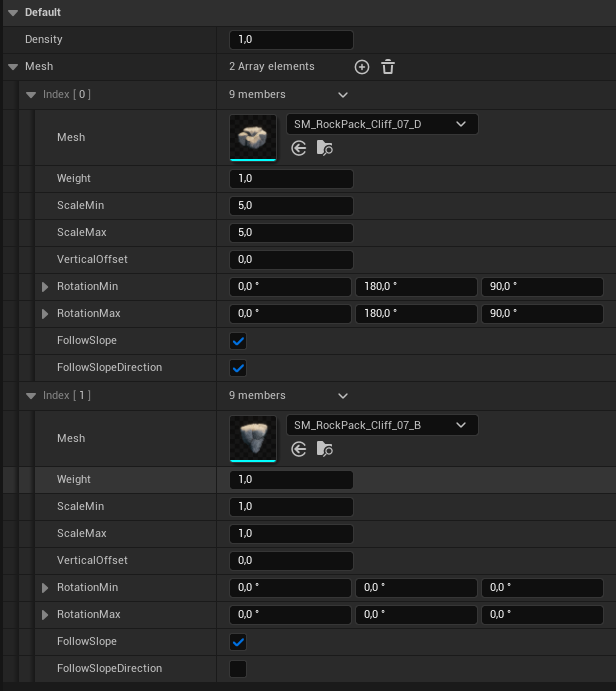
The most interesting parameter is probably Follow Slope Direction. This makes each mesh align to the direction of the terrain slope, which is essential for assets that need to sit naturally against the ground instead of feeling randomly dropped on top of it. To achieve this, I build a rotation using Make Rotator from Z, which gives a simple and reliable way to orient the meshes to the slope.